Your files, kept in trust

Encrypted, automatic backup for every office computer.

Amanat Backup copies your documents, accounts and e-mail to a USB drive, encrypted and with every earlier version kept. When a disk fails, a virus strikes or a file is deleted by mistake, you get it back in minutes.
Version 1.0.0 · 26 MB · Windows 10 & 11 (64-bit) · 30-day free trial

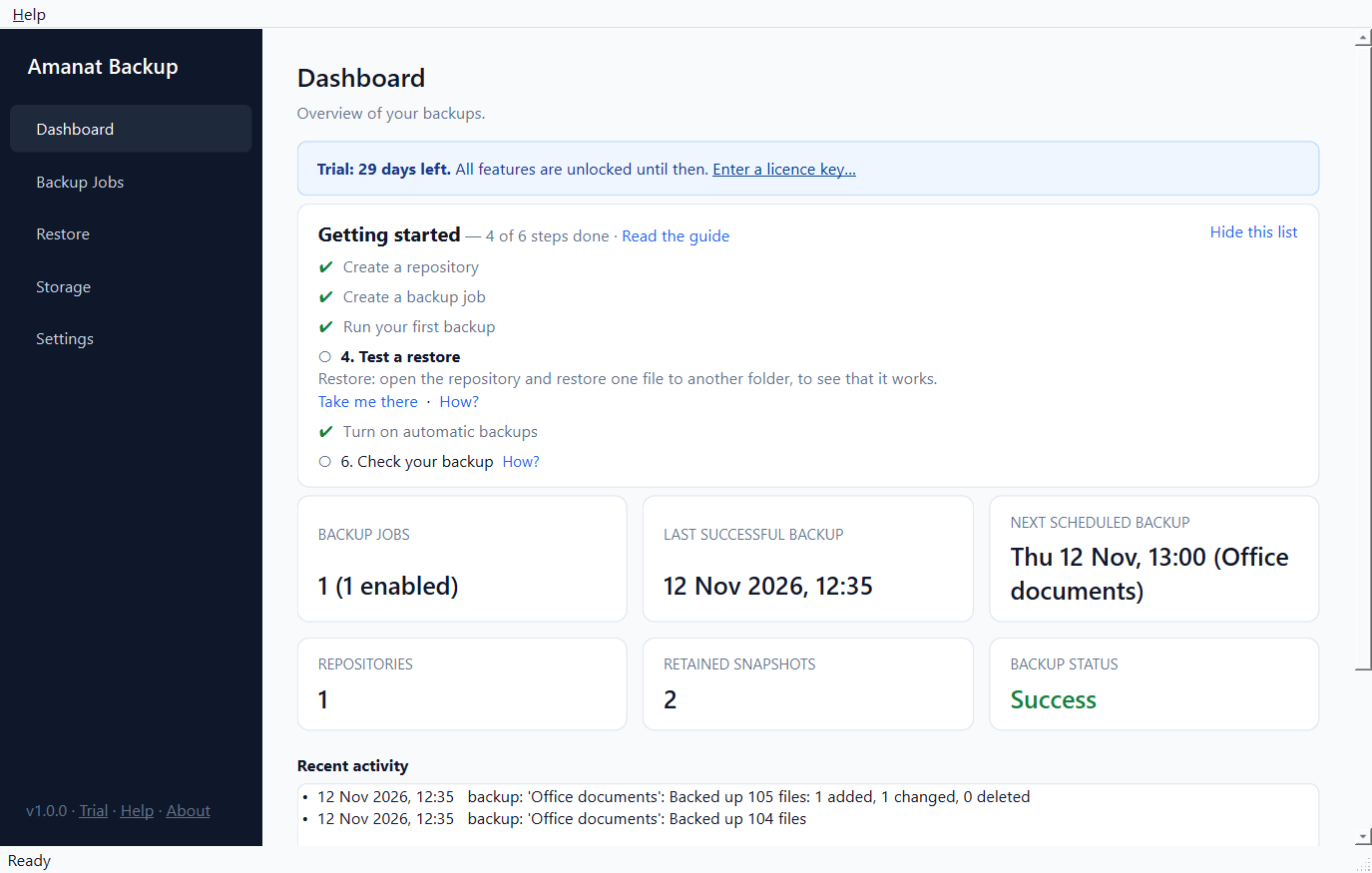
The Amanat Backup dashboard showing the last successful backup, the next scheduled backup and recent activity

Everything a small office needs from a backup

Encrypted with AES-256

Everything is encrypted before it reaches the backup drive. If the drive is lost or stolen, nobody can see your file names or contents.

Every version kept

Each backup is a complete snapshot. Restore one file, a folder or everything, exactly as it was on any earlier date.

Fast after the first time

Only changed files are read again. Content already stored is never stored twice, even when a file is renamed or copied, and everything is compressed.

Runs by itself

Daily or weekly backups. A missed backup runs when the computer is switched on again, and a waiting one runs as soon as the USB drive is plugged in.

Checks its own backups

Integrity checks confirm your backups can really be restored, and repair them when needed. A power cut during a backup never damages earlier ones.

Completely offline

No cloud, no account, no monthly bill. Your files never leave your office, and the program never connects to the internet.

Set up once, protected every day

  1. Create a repository on your USB drive and choose a password. You also get a recovery key, in case the password is ever forgotten.
  2. Choose what to back up: Documents, Desktop, scanned papers, Outlook data and your accounting software's data folder.
  3. Turn on the schedule. Amanat Backup backs up every day and tells you if anything needs your attention.

The program's Dashboard has a getting-started checklist, and help is one key away (F1). Read the step-by-step guide.
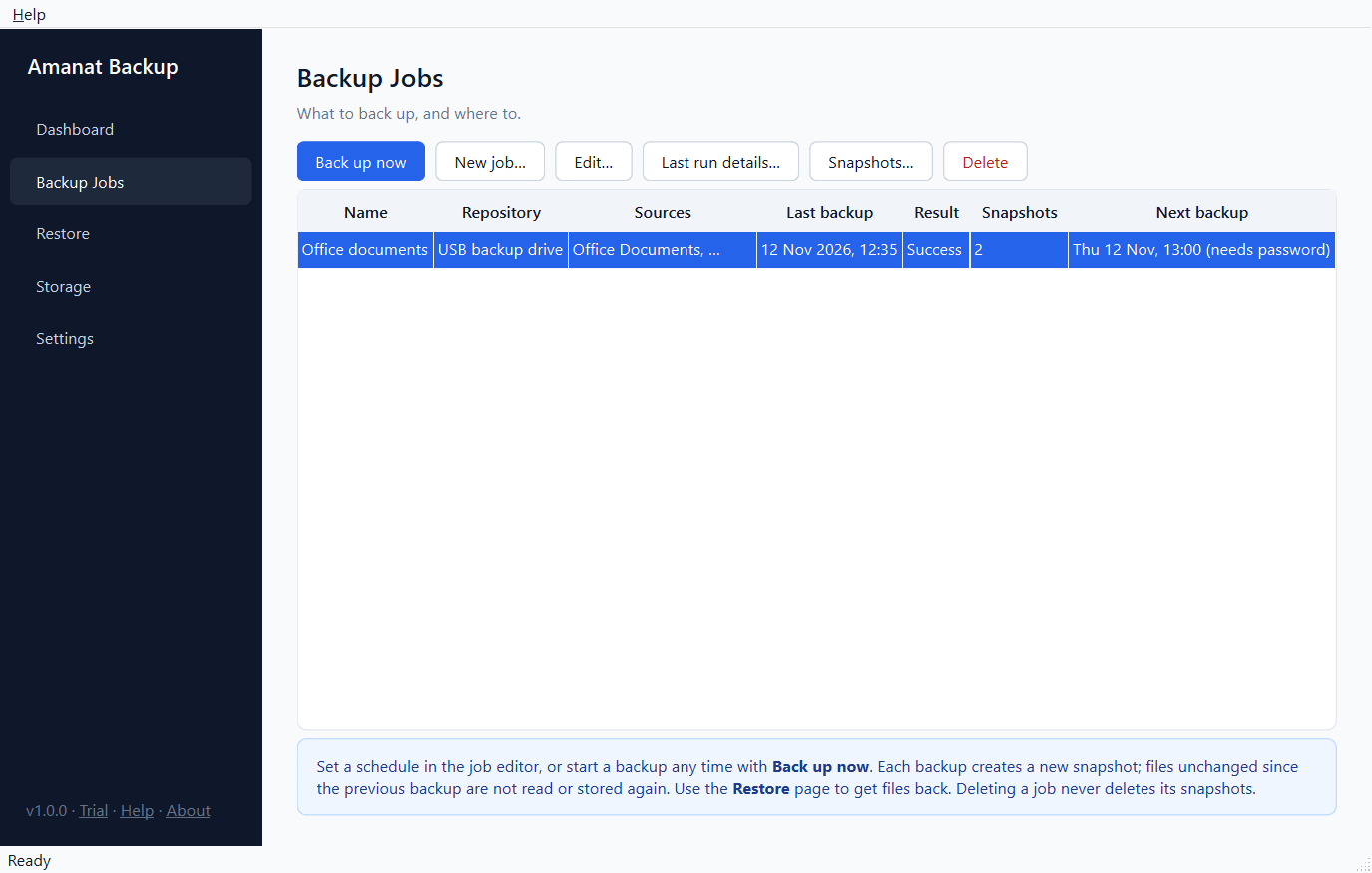
The Backup Jobs page with a daily scheduled job for office documents

Get any file back from any day

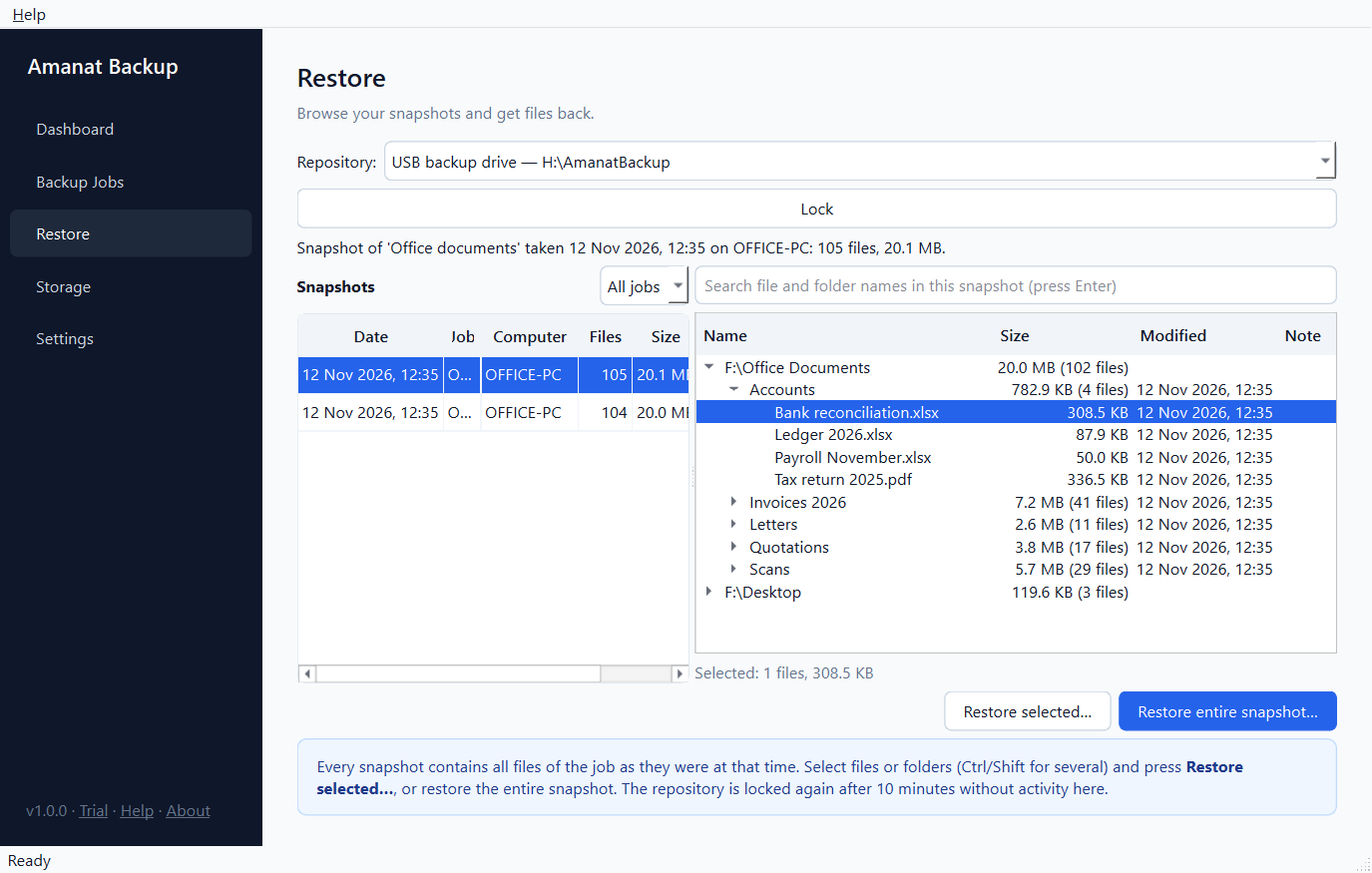
Pick a date, browse your folders as they were, or search for a file by name. Restore to another folder to compare first, or straight back to where it came from after a disk failure or a virus attack.
  • Restoring is always allowed, whatever your edition, even after a trial or licence ends.
  • Moving to a new computer? Install, connect the drive, open the repository and restore.
  • Every restored file is checked before it is put in place.
The Restore page browsing a snapshot's folders, with one file selected

Simple yearly licences

Try every feature free for 30 days. After that, keep using the free edition (1 backup job, up to 25 GB per backup) or buy a yearly licence.

ProRs 3,000per year · 1 computer
BusinessRs 5,000per computer per year

Compare editions and buy

Common questions

Does it need the internet or a cloud account?
No. Amanat Backup works completely offline. There is no account and no monthly bill, and your files never leave your office.
Where are the backups stored?
On a USB drive, a second disk or a network folder that you choose. Everything is encrypted with AES-256 before it is written there.
What can I back up?
Any folders: Documents, Desktop, scanned papers, Outlook data files and your accounting software's data folder, for example.
What if I forget my backup password?
Use the recovery key you were given when you created the repository. Nobody, including us, can open your backups without the password or the recovery key.
Is there a free version?
Yes. Every feature is free for the first 30 days. After that the free edition keeps working with 1 backup job and up to 25 GB per backup, and every backup can always be restored.
Which versions of Windows does it support?
Windows 10 and Windows 11, 64-bit.

Protect your office files today

Download Amanat Backup, install it in a minute and run your first backup.

Download for Windows

Version 1.0.0 · 26 MB · Windows 10 & 11 (64-bit) · 30-day free trial